Story Box Library
is now coming to you via
StoryBox Hub


 Back to FAQs
You can watch our stories at their normal speed or slow them down to 75% or 50% speed. To reduce the playback speed:
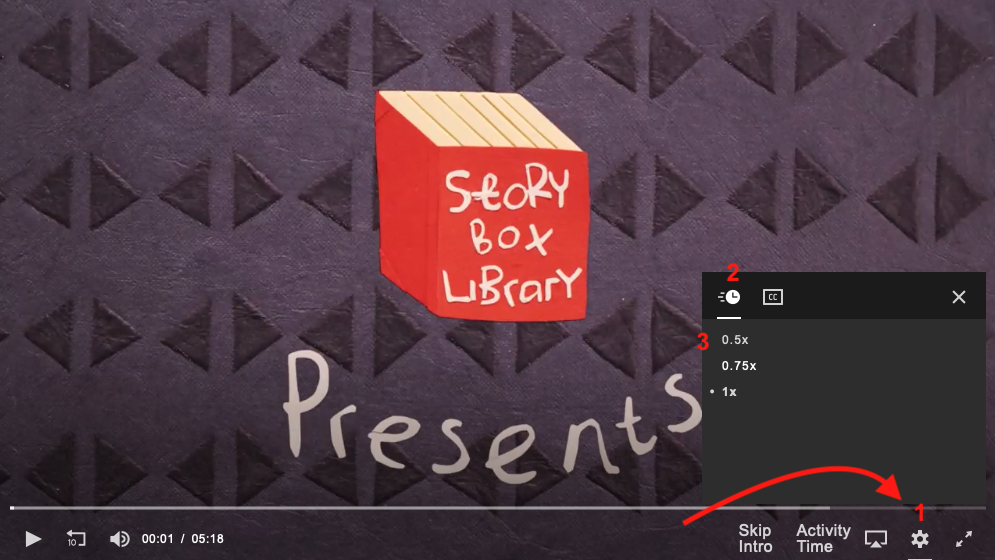
Note that currently variable playback is only available when watching stories via our website, but are planning to bring this functionality to the StoryBox app soon.